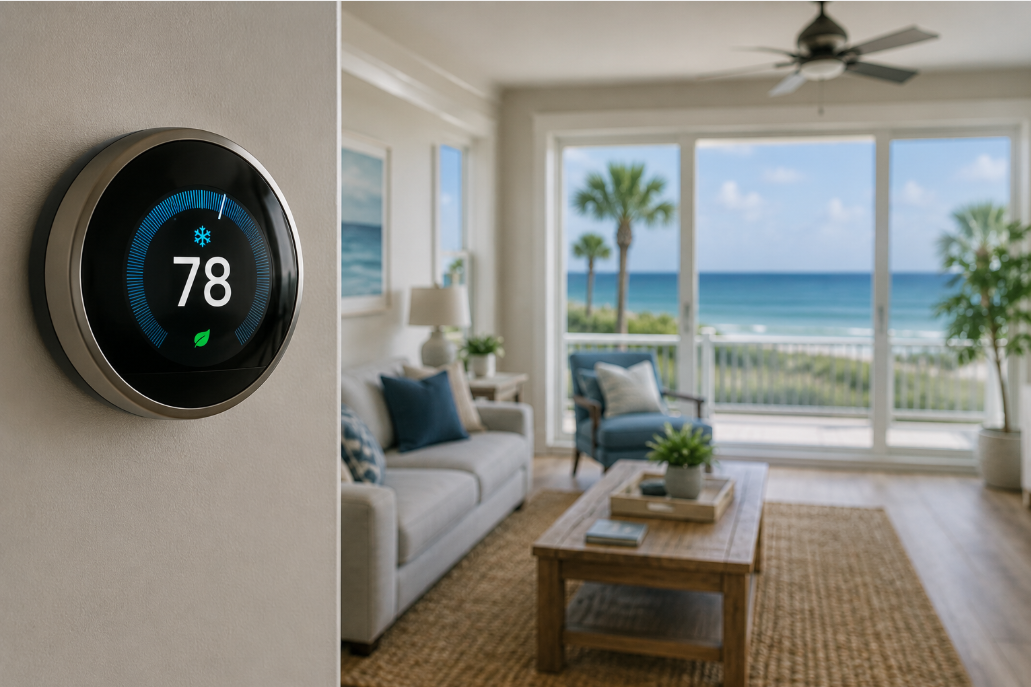
Thermostat settings in Galveston’s summer heat demand smart choices. You can achieve comfort and save on energy bills by understanding optimal temperatures. Aim for 74°F to 78°F when home. Adjust your thermostat higher when away, and consider a slightly lower setting at night. Avoid constant temperature changes; this strategy keeps your system efficient.
Ideal Thermostat Settings for Galveston Summers
Balancing Indoor Comfort with Coastal Humidity
Maintaining a comfortable indoor environment in Galveston’s humid climate requires a thoughtful approach to your thermostat. Setting your thermostat too low can lead to excessive energy consumption and may not effectively combat the pervasive moisture in the air.
You can achieve optimal comfort by utilizing your thermostat’s settings to manage both temperature and humidity. Consider employing a smart thermostat with dehumidification capabilities to further enhance your indoor air quality.
Recommended Temperature Ranges for Peak Heat
During the intense heat of a Galveston summer, finding the sweet spot for your thermostat can significantly impact your energy bill. Most homeowners discover that a range between 74°F and 78°F offers a practical balance.
You can make small, incremental adjustments within this range to find your personal comfort zone. Even a one-degree change can contribute to noticeable savings on your monthly utility statement.
| Galveston Summer Thermostat Recommendations | |
|---|---|
| Optimal Daytime Range | 74°F – 78°F |
| When Away | Raise temperature slightly |
| Overnight | Lower for sleeping comfort |
You should consider your daily schedule when setting your thermostat, especially during peak heat. Adjusting the temperature upward by a few degrees when your home is unoccupied can prevent unnecessary energy expenditure. Conversely, lowering the temperature slightly before bedtime can ensure a more restful sleep. Smart thermostats offer the convenience of pre-programmed schedules, making these adjustments automatic and effortless.
| Smart Thermostat Benefits | |
|---|---|
| Automation | Pre-program schedules |
| Remote Control | Adjust from anywhere |
| Energy Savings | Optimize usage patterns |
Best Thermostat Settings for Summer in Galveston, TX: Day vs. Night Temperature Recommendations
| Day vs. Night Temperature Recommendations | |
| Daytime Temperature | Nighttime Temperature |
| 74°F – 78°F (or slightly higher when away) | Slightly lower for comfort |
Optimizing Cooling During High-Sun Hours
When the Galveston sun beats down, your air conditioning system works hardest. You can maintain comfort without excessive energy use by strategically setting your thermostat during these peak hours. Consider raising the temperature a few degrees while you are out, allowing your home to warm slightly but not excessively. Your air conditioner will not struggle as much to cool a slightly warmer house back down when you return. This approach reduces the strain on your system and contributes to noticeable savings on your electric bill. Finding this balance helps you stay comfortable and energy-efficient.
Adjusting for Sleep Quality and Nighttime Efficiency
As evening approaches, your body naturally seeks a cooler environment for optimal sleep. You can lower your thermostat a few degrees at night to create a more restful atmosphere. This slight adjustment helps you fall asleep faster and stay asleep longer, improving your overall rest. Many people find a temperature between 70°F and 72°F ideal for sleeping, though individual preferences vary. This minor change in setting can significantly impact your comfort without drastically increasing energy consumption, especially since the outdoor temperatures are typically lower at night. Setting your thermostat for nighttime comfort not only aids in better sleep but also aligns with energy-saving practices. Your AC unit will not have to work as hard to maintain a slightly lower temperature when the sun is down and ambient temperatures drop.
Managing Settings When You’re Away from Home
Optimizing your thermostat while you’re out of the house is a smart move for energy savings. You can easily prevent your system from working overtime to cool an empty residence by making minor adjustments.
Consider using a smart thermostat; these devices offer unparalleled convenience. You can program them to automatically raise the temperature when you leave and lower it before you return, all from your smartphone.
The Efficiency of the Eight-Degree Setback
Raising your thermostat by eight degrees when you depart for work or errands can significantly impact your electricity bill. This slight increase allows your system to cycle less frequently, conserving energy without overworking it.
Your home will still remain relatively cool, preventing excessive heat buildup. The air conditioner won’t have to struggle to reach your desired temperature upon your return, ensuring comfort and efficiency.
Protecting Your Home During Extended Absences
Leaving your home for an extended period requires careful consideration of your thermostat settings. You want to avoid mold and mildew growth, common issues in Galveston’s humid climate, while still saving energy.
You can maintain a slightly higher temperature, perhaps around 80-82°F, to prevent your home from becoming too warm and humid. This setting keeps your air conditioning system from running constantly but still provides vital dehumidification.
Setting your thermostat to a slightly warmer temperature during long trips also helps protect sensitive electronics and wooden furnishings from extreme heat and humidity. This prevents potential damage from warping or moisture buildup, ensuring your belongings remain in good condition until you return.

Benefits of Smart Thermostats in Texas Climates
You gain significant control over your home’s climate and energy consumption with a smart thermostat. These devices adapt to your schedule and preferences, ensuring your Galveston home remains comfortable without excessive energy use. You can avoid the constant manual adjustments that often lead to higher utility bills. This technology offers a proactive approach to managing the intense Texas heat and humidity. You will experience consistent comfort and considerable savings on your energy expenses throughout the long summer months.
Remote Access and Automated Scheduling
Imagine adjusting your home’s temperature from your phone before you even arrive. Smart thermostats provide you with complete remote control, allowing you to modify settings from anywhere. You can ensure your home is perfectly cool the moment you walk through the door. Setting personalized schedules means your system automatically adjusts based on your daily routine. You can program the thermostat to raise the temperature when you are away and lower it as you return, optimizing energy use without sacrificing comfort.
Leveraging Dehumidification and Energy Reports
Many smart thermostats offer advanced features like integrated dehumidification controls. This capability helps combat Galveston’s oppressive humidity, making your home feel cooler at a higher temperature setting. You will experience a drier, more comfortable environment while potentially saving on cooling costs. Detailed energy reports provide valuable insights into your consumption patterns. You can identify peak usage times and understand how your adjustments impact your energy bill. These reports empower you to make informed decisions for greater efficiency. You can analyze your energy usage data to fine-tune your settings even further. Understanding your energy footprint allows you to make strategic changes that lead to substantial long-term savings and a consistently comfortable home.
Conclusion
Summing up, you can effectively manage your home’s comfort and energy use during Galveston’s summer by choosing the right thermostat settings. Aim for a range of 74°F to 78°F for a comfortable and efficient balance. Small adjustments in this range will help you see noticeable savings over time.
You should also tailor your thermostat settings to your daily schedule. Raising the temperature slightly when you are out of the house conserves energy, and a slight decrease at night can enhance your sleep comfort. Smart thermostats simplify these adjustments, allowing for automated and remote control. Avoid frequent temperature changes, as this causes your system to work harder. A smart thermostat strategy will keep you cool and your energy bills in check all summer.
Here are five detailed FAQ questions and answers about “Best Thermostat Settings for Summer in Galveston, TX”:
Q: What is the optimal thermostat temperature range for comfort and energy efficiency in Galveston during the summer?
A: Most residents in Galveston find that setting their thermostat between 74°F and 78°F offers the best balance for summer comfort and energy savings. This range helps your air conditioning system operate efficiently without overworking, which can prevent high electricity bills. While a lower temperature might feel good initially, maintaining temperatures below 74°F often leads to significantly increased energy consumption and can place undue stress on your AC unit, potentially reducing its lifespan. Consider how comfortable you feel at different points within this range and adjust accordingly.
Q: How should I adjust my thermostat settings when I leave my Galveston home for several hours or days?
A: When you are away from your Galveston home for an extended period, such as during work hours or a weekend trip, it is advisable to raise your thermostat setting. A common recommendation is to set it 5-7 degrees higher than your usual comfort temperature. For example, if you typically keep your home at 75°F, set it to 80°F or 82°F when you leave. This prevents your AC from running unnecessarily in an empty house, saving energy. Avoid turning your system completely off, as this can allow humidity to build up and make your home feel very stuffy when you return, requiring more energy to cool down initially.
Q: Is it beneficial to use a programmable or smart thermostat in Galveston’s summer climate?
A: Yes, using a programmable or smart thermostat offers significant advantages for managing your home’s temperature during a Galveston summer. These devices allow you to set specific schedules for temperature changes throughout the day and week, aligning with your routine. For instance, you can program the thermostat to raise the temperature while you are at work and lower it before you arrive home. Smart thermostats offer even more control, letting you adjust settings remotely via a smartphone app. Some models also learn your preferences and automatically optimize settings for greater efficiency. This automation helps prevent constant manual adjustments and ensures your AC system runs only when needed.
Q: What role does humidity play in setting my thermostat in Galveston, and how can I manage it?
A: Humidity plays a substantial role in perceived comfort in Galveston. Even if the air temperature is set to a comfortable level, high humidity can make it feel much warmer and stickier. Your air conditioning system naturally removes some humidity as it cools the air. However, if your home still feels damp, you might consider setting your thermostat slightly higher and using a dehumidifier. Some smart thermostats and newer AC systems have built-in humidity sensors and can help manage indoor humidity levels. Setting your thermostat too low in an attempt to combat humidity can actually make the problem worse by causing your AC to short-cycle, meaning it turns on and off frequently without running long enough to effectively dehumidify the air.
Q: Should I constantly adjust my thermostat throughout the day, or is it better to set it and leave it?
A: It is generally better to set your thermostat to your preferred temperature range and avoid frequent, drastic adjustments throughout the day. Constantly raising and lowering the temperature causes your air conditioning system to work harder, cycling on and off more often. This uses more energy and puts additional strain on your equipment, potentially leading to increased wear and tear. Instead, aim to find a comfortable and efficient setting, perhaps within the 74°F to 78°F range, and maintain it. If your schedule changes, use a programmable or smart thermostat to automatically adjust for those periods. Minor adjustments of one or two degrees are usually fine, but avoid large swings.